The Last of Microsoft’s Iconic Browser Still Holds Its Ground
Internet Explorer 11 is the eleventh and final version of the Internet Explorer web browser by Microsoft. It was available for Windows 8.1, Windows 7, and Windows 10—although Microsoft’s replacement for Internet Explorer, Microsoft Edge, is the default browser in Windows 10. Despite being the final version, Internet Explorer 11 took away more features than added them, but its performance compared to previous versions makes it much more reliable for those still using legacy web apps online.
Ready, Get Set, Go!
Internet Explorer 11 tries to boast that it’s an overall faster browser. This claim doesn’t hold against the likes of Google Chrome and Mozilla Firefox, but it is true when Internet Explorer 11 is compared to its older versions. For starters, this browser has low system requirements—a 233MHz processor, 512MB of RAM, a Super VGA graphics adapter, and 70MB of hard disk space—so it’s not a huge strain on older computers. When you first run it, you also don’t have to sign into any account like with Chrome. All you have to do is choose the security settings you want and simply start browsing, which is a great improvement since previous versions would constantly pester you about it every time you open Internet Explorer up. Additionally, Internet Explorer 11 now loads sites and content in the background to optimize its performance.
A New Look
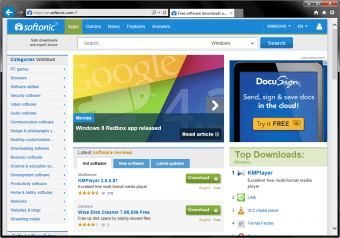
Interfaces have always been simple, if not plain, in Internet Explorer. This last version still keeps the tradition alive, but this time, it gets trimmed down even more to make space for webpage content and its other interface features. The address bar and search box have now been combined and this new feature called “One Box” is squished next to your tabs. You can enlarge it if it ever feels too small. The tabs and new tabs can now be customized with what they’ll display for you. Pinning sites is cool to do by just simply dragging a webpage's icon down to the Windows taskbar. Surprisingly, though, along with the tradition of simple interfaces, Internet Explorer 11 still supports old coding that modern browsers no longer do. This is why Internet Explorer is still so popular with a lot of businesses using Windows 7. No matter what Microsoft does with promoting Edge as the better browser, as long as legacy features still exist online, Internet Explorer 11 will still be of use.
Still The Same Old Internet Explorer
Unfortunately, despite all of these positive additions, Internet Explorer 11 disabled a lot of old features, as well—some that will be missed. There’s no more tabbed browsing, automatic recovery from page layout errors with Compatibility View, and the choice to enable websites to use the search pane. You also don’t get device syncing and multi-user perks, especially for Windows 7. Internet Explorer 11 is a better option over previous versions, but other browsers are much better choices—even Microsoft Edge because Internet Explorer 11 won’t have any huge updates anymore. If you’re constantly using old websites that haven’t changed coding yet, however, Internet Explorer 11 may be of great help to you.
Cathy Buggs
With decades of experience in IT management and later as a writer and tutor, she combines technical knowledge with a passion for clear communication. His work spans editing, teaching, and writing, bringing authority and precision to content on technology and related fields.
Laws concerning the use of this software vary from country to country. We do not encourage or condone the use of this program if it is in violation of these laws. Softonic may receive a referral fee if you click or buy any of the products featured here.